
Export Binance.com Futures trades to CSV
Guide revised: . Data verification dates are shown separately in the guide and sources.
FeeEdge's personal fee audit reads a Binance.com USD-M linear USDT-settled fills CSV. Official Account Trade List column names work. The Binance.com website Trade History headers validated 10 September 2026 also work. That website path is Binance.com international / EU. Binance.US is unvalidated. Other Binance.com products are out of scope.
What to export
You need fill rows (executed trades), not an order list, funding statement, or income history. On Binance.com, open Orders, then Futures Order, then Trade History, and export USD-M fills. Prefer CSV. FeeEdge does not parse Excel workbooks. This is not a Binance.US path.
Official API field names, from Binance.com's Account Trade List (GET /fapi/v1/userTrades), are: id, time, symbol, price, qty, quoteQty, commission, commissionAsset, maker. Time is milliseconds UTC. maker is a boolean. Commission is a signed decimal string: positive is a fee paid, negative is a rebate.
Binance.com website Trade History headers validated 10 September 2026 (intl/EU) are: Time, Symbol, Side, Price, Quantity, Amount, Fee, Realized Profit, Buyer, Maker, Trade ID, Order ID. Quantity is base qty. Amount is quote notional. Fee may be a glued number plus asset (for example 0.03419648BNFCR). A separate Fee Asset column still wins when present. Maker is boolean true/false. Matching is case-insensitive. Never store Uid. Binance.US remains unvalidated.
Period limits
- Account Trade List: if you omit start and end times, Binance.com returns the last 7 days. A start/end window cannot be longer than 7 days. Querying is limited to the past 3 months.
- Binance.com website Trade History exports are commonly taken in 3-month windows. Split longer history into separate files.
- Binance.com also documents an async download id for futures trade history (
GET /fapi/v1/trade/asyn). That file still needs the same fill columns.
Reproducible header check
Official Account Trade List headers. This is a labeled sample, not a customer file:
id,time,symbol,price,qty,quoteQty,commission,commissionAsset,maker
Validated Binance.com website Trade History headers (intl/EU):
Time,Symbol,Side,Price,Quantity,Amount,Fee,Realized Profit,Buyer,Maker,Trade ID,Order ID
Required mapped fields: id, time, symbol, price, qty, commission, maker. quoteQty / Amount is optional. If it is missing, notional is abs(price × qty) on linear *USDT contracts only. Inverse and unknown multipliers are rejected. commissionAsset is optional when Fee embeds the asset.
Official maker aliases include: maker, liquidity, role, maker/taker.
Try the format with fictitious data
Download the seven-fill fictitious CSV and read it in FeeEdge. It uses supported official field names, contains no customer data, and is not an export from a real Binance account.
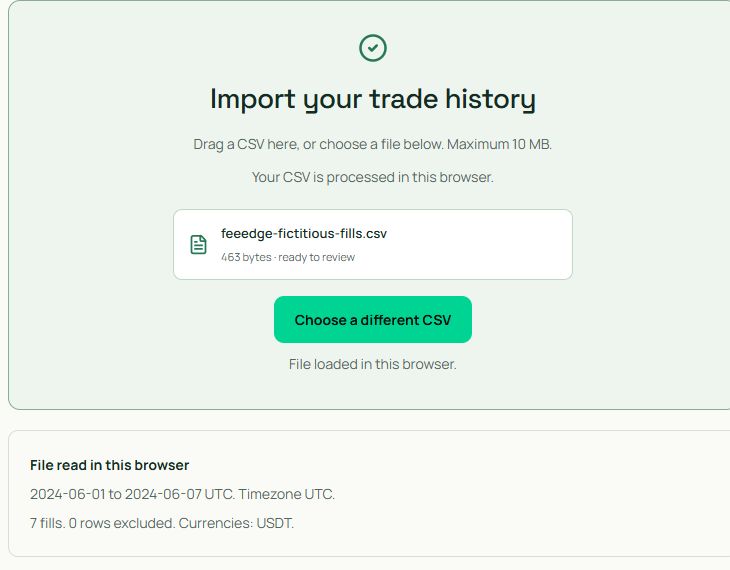
The screen shows seven fills in USDT, no excluded rows, and 1–7 June 2024. Confirm period coverage separately: the first and last fill do not establish that the export is complete.
What FeeEdge will reject
- Spot, margin, or COIN-M history.
- Funding-only rows (excluded, not treated as fills).
- Symbols that are not linear USDT-settled (for example BTCUSD).
- Excel (.xlsx) or files over 10 MB or 50,000 rows.
- Duplicate headers, broken quotes, or mixed column counts.
- Binance.US exports. That site is unvalidated.
- Other exchanges. There is no Bybit, OKX, or generic CSV path yet.
Common errors
- Missing columns: export Trade History fills, not Order History. Use the official names or the validated website headers above. Never include Uid.
- Unsupported symbol: the file includes COIN-M or non-USDT contracts. Filter to USD-M USDT pairs.
- Wrong period: the API lookback is 3 months. Older fills need a documented download, not a 7-day userTrades call.
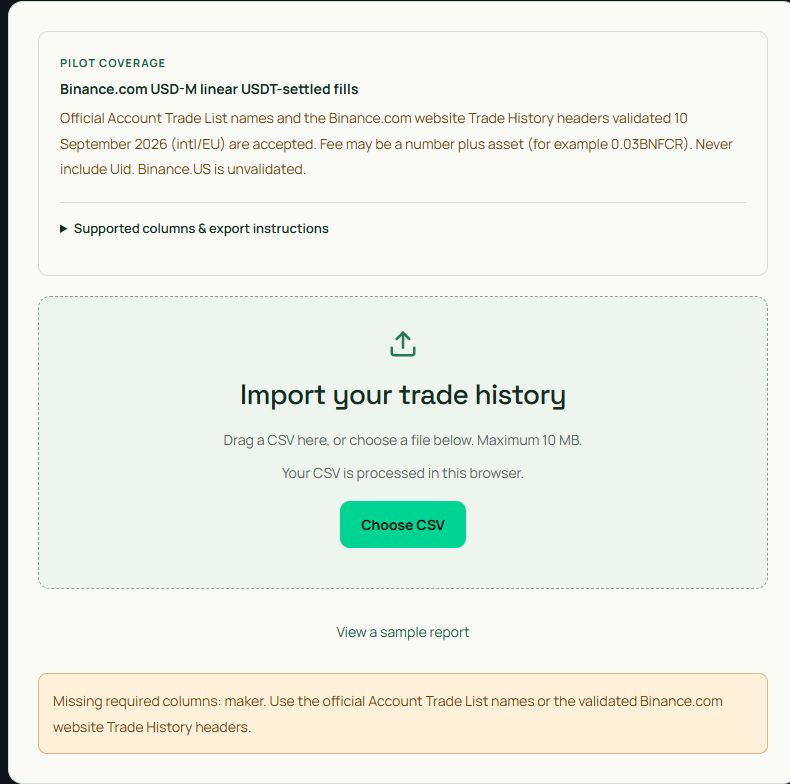
The missing-maker example is reproducible by removing that column from the fictitious file. The parser rejects it rather than inferring maker/taker from the price or order type.
Check a supported CSV for free →
Official sources
Verified 10 September 2026 against Binance.com developer docs and FeeEdge parser coverage.
- Account Trade List (USER_DATA)
- Get Download Id For Futures Trade History
- Binance.com USD-M futures fee schedule